Use the child’s account and connect the family-management foundation.
Ages 10–12 · iOS 27 · about 45–60 minutes
Set up the iPhone—and know why you chose each setting.
The iPhone Setup Guide for Kids helps you leave setup with a configured Child Account, Screen Time schedule, app approvals, purchase controls, communication settings, and a plan for adding freedom later.
16-page PDF · delivered by Payhip · use with every child in your household
45–60 minComplete the setup in one sitting
iOS 27Any iPhone that supports this version
September 2026Source-reviewed against Apple documentation
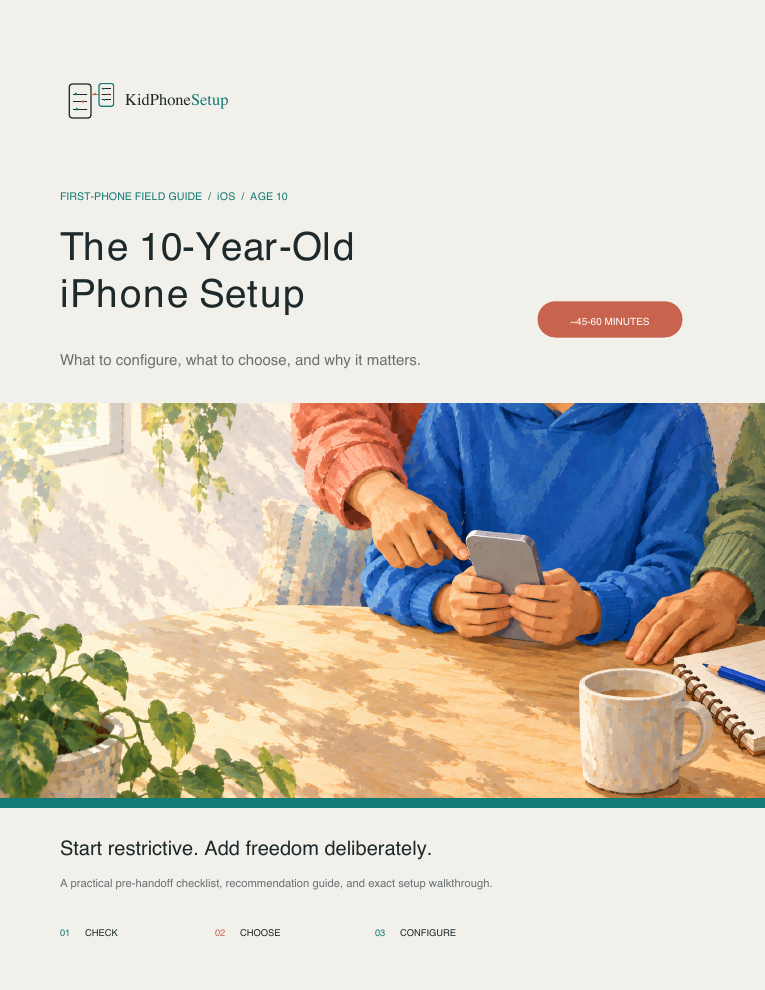
The outcome
Finish with a working setup—not a list of features to research later.
The guide brings the account, controls, parent decisions, child experience, handoff conversation, and review routine into one sequence.
Set school, after-school, and bedtime schedules instead of one blunt limit.
Require approval, block in-app purchases, and test the request flow.
Begin with trusted contacts and understand what the child experiences.
Simulate requests, limits, blocked sites, contacts, and protected changes.
Review weekly at first, then loosen one setting at a time when it is earned.
Why this is different from Apple Support
Apple documents the controls. This guide helps you make the parent decisions.
The setup paths are consolidated for convenience. The paid value is the recommendation, testing, conversation, and gradual-loosening framework around them.
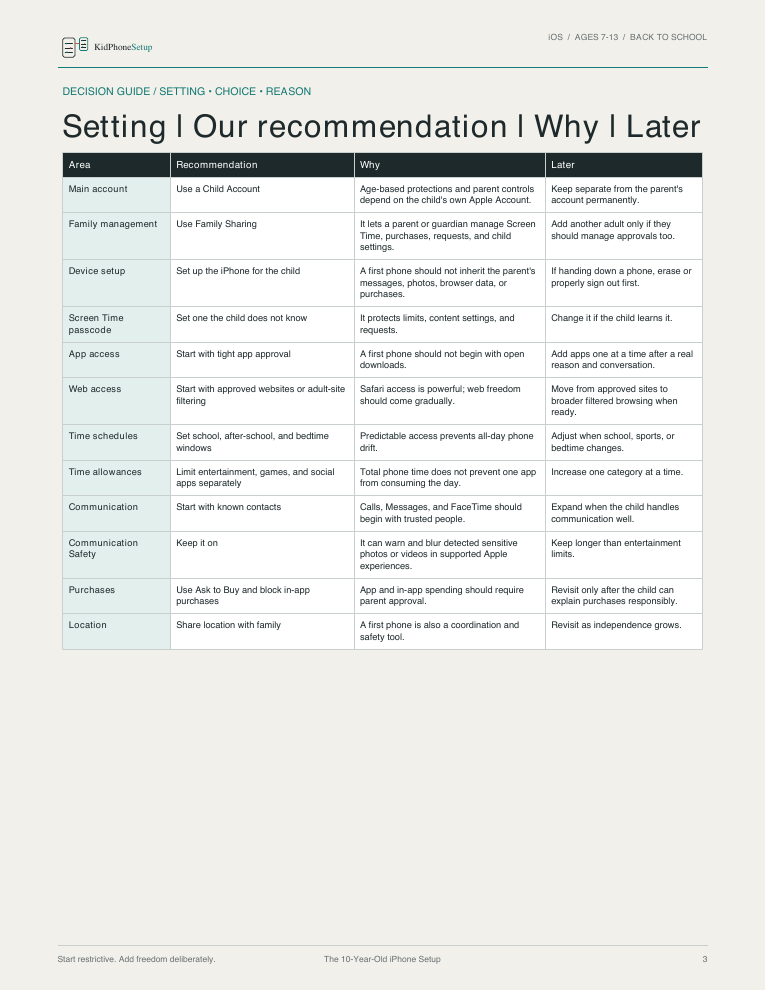
Decision framework
Setting → recommendation → why → later
See a recommended default for a typical tween, why it matters, and the condition that should trigger another decision. You are not left to translate a feature description into a family policy by yourself.
- Recommended starting position
- Plain-language reason
- A specific point for reconsideration
- Twelve decisions visible together
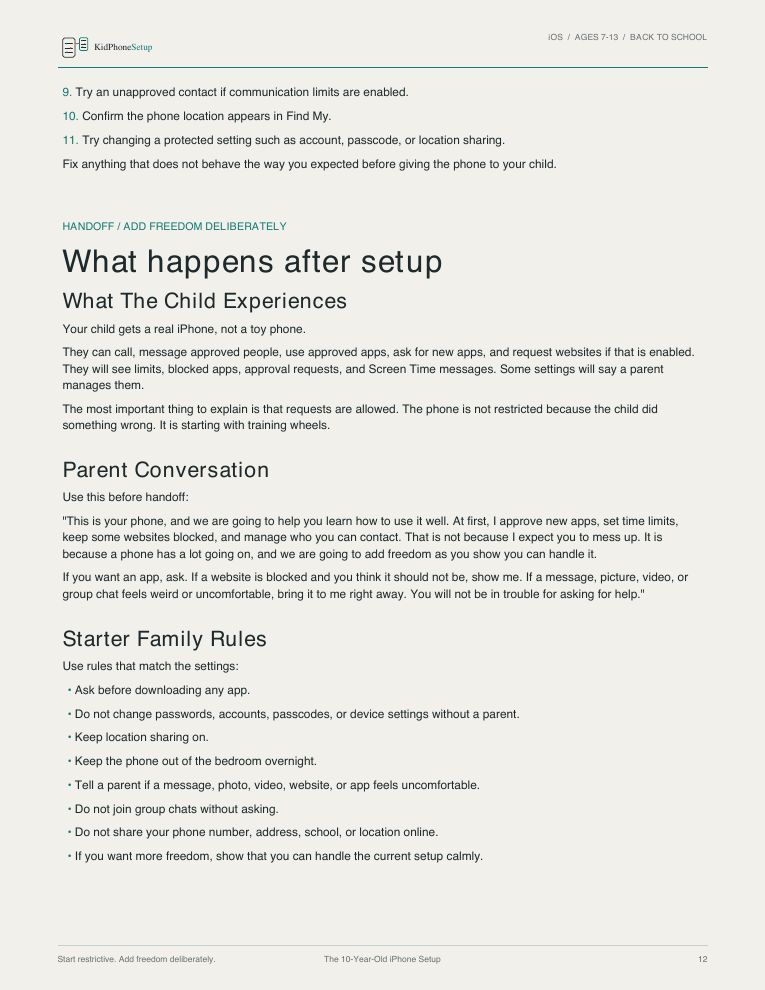
Handoff proof
Test what actually happens before your child gets the phone.
The guide tells you to simulate an app request, in-app purchase, expired limit, blocked website, unknown contact, location lookup, and protected-setting change. That exposes configuration gaps a list of enabled switches can miss.
- Eleven real-world handoff checks
- What the child experiences
- A calm parent conversation
- Starter family rules that match the controls
Long-term framework
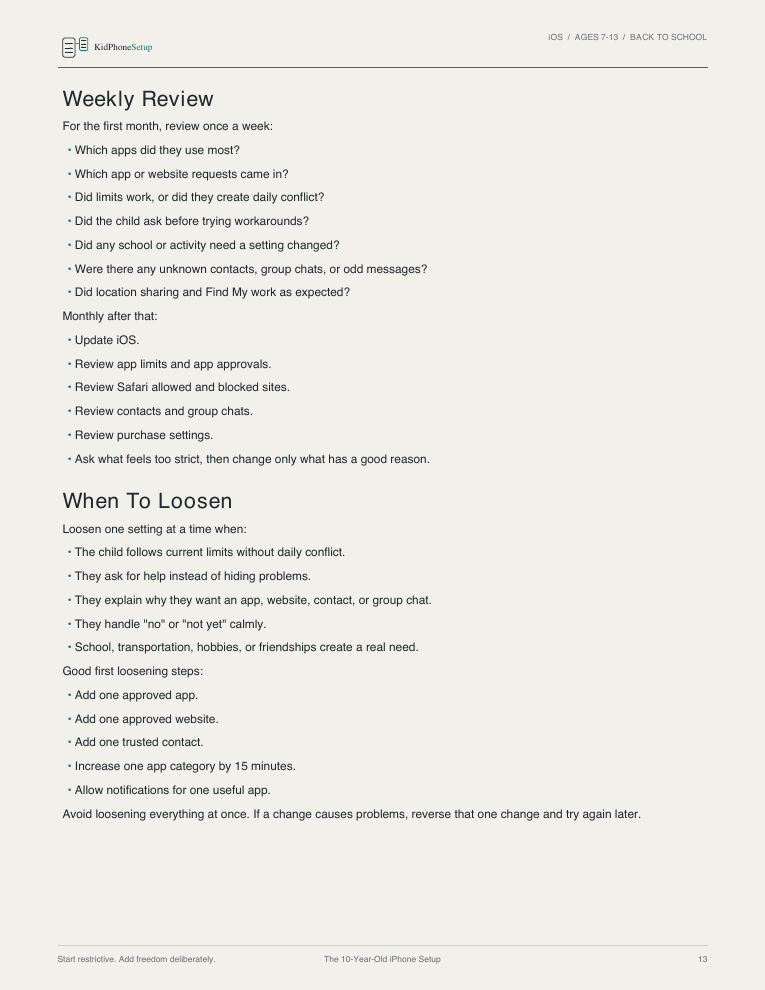
Review weekly, then add freedom one change at a time.
The first setup is a starting point. The guide shows what to review during the first month, what responsible use looks like, and how to reverse only the change that caused a problem.
- Weekly first-month questions
- Monthly maintenance checks
- Readiness signals for added freedom
- Small, reversible loosening steps
These are unedited pages from the purchased PDF. The guide is text-based and does not contain iPhone screenshots.
Exact fit and scope
Know what you are—and are not—buying.
This guide fits when…
- Your child is approximately 10–12
- The iPhone supports and runs iOS 27
- The phone is new, erased, or handed down
- You want a more parent-directed starting setup
- You want to adapt individual recommendations to your child
- You live in any country where the iOS 27 paths match
It does not cover…
- Cellular-plan or carrier setup
- School-managed iPhones
- Recovering a forgotten Apple Account password
- Detailed setup inside every third-party app
- A guarantee that every unsuitable contact or piece of content will be blocked
Regional differences still matter.
Apple feature availability, age thresholds, defaults, and labels can vary by country, account, and device state. If your screen differs, pause and compare it with current Apple documentation rather than guessing.
Who made it
A practical parent framework with its limits stated plainly.
Kevin McFaul, founder of KidPhoneSetup and a parent of two, created the guide after he could not find one resource that was both comprehensive and gradual: protective at the beginning without permanently limiting contact with parents, grandparents, family, and selected friends.
The recommendations are a transparent starting framework, not universal rules or child-safety-expert advice. Use the parts that fit your child and household.
VerificationSource-reviewed against Apple documentation in September 2026.
The final page lists the Apple sources used. Dates are not refreshed without another review.
Read the verification method →Choose how long you want updates
The same iPhone guide. Two update options.
Both options are one-time purchases, delivered as a PDF through Payhip, and may be used for multiple children in the same household.
Current edition
Buy Now
$9 USD
For parents setting up an iOS 27 iPhone now.
- Current 16-page iOS 27 guide
- Corrections to this edition
- Updates for iOS 27 point releases
- Payhip PDF delivery
- Download-problem support
Future iOS editions
Buy for Life
$49 USD
For parents who want future editions of this iPhone guide as iOS changes.
- Everything in the current edition
- Future editions of this iPhone guide
- Coverage for future iOS versions
- Update email from Payhip
- New PDF download link when updated
Digital-product policy
Because this is an immediately delivered digital product, purchases are normally non-refundable. If the file is inaccessible, incomplete, or materially mismatched with its stated version and scope, contact support so the issue can be investigated.
Secure checkout and file delivery are provided by Payhip. Support covers download problems through kidphonesetup@gmail.com.
Questions before buying
Specific answers, without inflated promises.
Is this just Apple’s free documentation reorganized?
The tap paths largely consolidate Apple’s documentation. The paid value is the parent decision layer: recommended defaults, reasons, what the child experiences, handoff testing, family conversation prompts, and a gradual review-and-loosening system.
Was it written or reviewed by a child-safety expert?
No. It was created by Kevin McFaul, a parent of two, and source-reviewed against Apple documentation. Recommendations are practical starting judgments for tweens, not professional child-safety, medical, or legal advice.
Which phones and countries does it support?
It is intended for any iPhone that supports and runs iOS 27, in any country where the paths match. Some features, defaults, and age thresholds vary by country, account, and device state.
Will it work for an older or handed-down iPhone?
Yes, if the phone supports iOS 27. The guide includes the child-account and device-setup foundation, but it does not recover forgotten Apple Account passwords.
Is it only for 10-year-olds?
It is designed for tweens ages 10–12. The recommendations are starting points, so parents can use selected sections or choose more or less independence based on the child.
Does the guide contain screenshots?
No. It is a text-based 16-page PDF using checklists, tables, menu paths, recommendations, tests, conversation prompts, and review guidance.
Will these settings prevent every inappropriate contact or piece of content?
No. No phone setting or filter can guarantee that. The guide explains useful controls, tests the resulting behavior, and provides a review routine for what the controls cannot solve alone.
What if the menus do not match?
First confirm the phone is running iOS 27. Then compare the step with current Apple documentation because region, account, defaults, and point releases can change what appears. Download support does not include individual configuration consulting.
What is the difference between the two purchase options?
The $9 option includes the current iOS 27 edition, corrections, and iOS 27 point-release updates. Buy for Life includes future editions of this iPhone guide for future iOS versions, delivered through a Payhip email and new download link.
Before you hand over the phone